
If you’re coaching a youth team and trying to decide between GameChanger and Hudl, the honest answer is that they’re not really competing for the same job. One is built around live scorekeeping and keeping parents connected to the game; the other is built around breaking down video to teach technique and scheme.
This guide walks through what each app actually does well, where they overlap, what they cost, and how to pick based on your sport, your team’s age group, and how much time you have to spend on tech instead of coaching.
Quick Answer
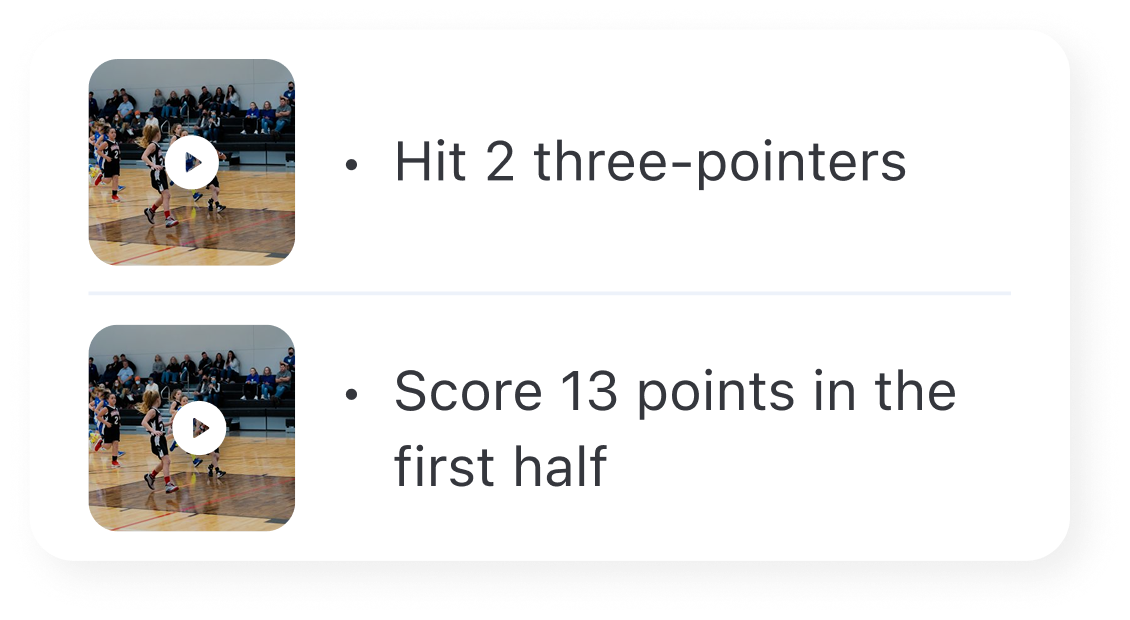
Choose GameChanger if you need free scorekeeping, live stats, and a way for parents and family to follow games remotely through text updates and stats — it’s strongest for baseball and softball but also covers basketball, soccer, volleyball, and more (note that baseball/softball video streaming is free for a limited number of games before a paid plan is needed). Choose Hudl if your priority is recording and breaking down game film to coach technique and strategy, especially for football, basketball, or soccer at a more competitive level.
What Each App Is Actually For
GameChanger started as a baseball and softball scorekeeping tool and has grown into a broader youth sports platform covering basketball, soccer, volleyball, flag football, lacrosse, and hockey. Coaches and scorekeepers use it free to track plays, lineups, and live stats during the game, while family and fans can follow along through live text updates, stats, and video streaming. It’s built for in-game, real-time use from the dugout or sideline.
Hudl is a video analysis platform first. Coaches upload or capture game and practice footage, tag plays, and build highlight reels or breakdown clips to review with players — either live during games (with compatible camera setups) or after the fact. It supports a wide range of sports, but it’s most commonly associated with football and basketball film study at the high school and club level, with youth-focused packages built around teaching fundamentals through video rather than live in-game stats.
In short: GameChanger answers ‘what’s the score and who’s doing what right now,’ while Hudl answers ‘what did we actually do on that play, and how do we fix it.’
Features, Pricing, and Sport Fit
GameChanger is free for coaches, team admins, and scorekeepers — the core scheduling, roster management, and scorekeeping tools don’t cost anything. Live stream viewing for basketball, soccer, and volleyball is unlimited and free. Baseball and softball are a bit different: remote family and fans get five free live stream views before the app asks for a paid subscription (plans start around $9.99/month or $39.99/year for unlimited streaming, with family and team-wide options also available). So for baseball/softball specifically, ‘let grandma watch every game from out of town’ usually means someone eventually pays for the unlimited plan — it’s not unlimited and free the way it is for GameChanger’s other supported sports.
Hudl’s pricing is not posted as flat self-serve plans for most packages — you typically contact Hudl directly for a quote based on team size, sport, and which tools you need (basic video upload and sharing vs. advanced tagging, PlayTools for drawing up assignments, or Hudl Focus automated camera hardware). Youth and club packages exist, but because pricing is quote-based and tiers add up quickly (recruiting and advanced analysis tools cost more than basic film-sharing), smaller youth programs should figure out exactly which features they’ll use before committing.
For sport fit: GameChanger is the more natural pick for baseball/softball-heavy leagues given its deep roots there (it auto-tracks a large number of baseball/softball-specific stats), even with the streaming cap. Hudl’s PlayTools and film-breakdown features are more aligned with sports where film review is central to teaching, like football and basketball.
Tips / Common Mistakes
Don’t pick based on hype — pick based on what you’ll actually use weekly. A GameChanger team that never watches film doesn’t need Hudl’s analysis tools, and a Hudl team that doesn’t need live pitch-count tracking doesn’t need GameChanger’s scorekeeping.
Check what your league already uses first. Many youth leagues standardize on one platform for official scorekeeping or stats reporting, and fighting that default creates duplicate work for parents and other coaches.
If your sport is baseball or softball and out-of-town family wants to watch every game live, plan for someone to eventually cover a GameChanger subscription — the free tier only covers the first five live streams, even though scorekeeping and stats stay free for the whole season.
Don’t assume you need both. Some competitive programs do run GameChanger for live stats/streaming and Hudl for film study, but for most youth teams below the varsity/travel-ball level, one tool is enough.
Explore more: more training and performance guides for coaches.
GameChanger vs Hudl FAQs
Is GameChanger free for coaches?
Yes — scorekeeping, scheduling, roster, and team management tools are free for coaches, scorekeepers, and team admins. Paid tiers mainly add features for fans and families, like unlimited baseball/softball live streaming and highlight clips.
Can family watch GameChanger live streams for free?
For basketball, soccer, and volleyball, yes — live stream viewing is unlimited and free. For baseball and softball, viewers get five free live streams before the app prompts for a paid subscription (around $9.99/month or $39.99/year) to keep watching.
Does Hudl work for youth sports or only high school and college?
Hudl offers youth and club-level packages, but it’s more widely used at the high school, club, and college level for serious film study. Younger or more casual youth teams may find it more tool than they need.
Which app is better for baseball and softball specifically?
GameChanger is generally the stronger fit for baseball and softball because of its long history and deep stat-tracking built specifically for those sports, though remote family will eventually need a paid plan to watch unlimited live streams.
Level Up With SportsSteps
Track your athlete’s progress, connect with coaches and your team, and grow — get the SportsSteps app. Get the SportsSteps App.
Want training tips and sports news in your inbox? Subscribe to the free newsletter.
Images: Gc.