Most AI sports cameras are built and marketed for full-size soccer and football fields, where the camera sits far from the action and needs a wide panoramic view to keep every player in frame. A youth baseball diamond at a rec-league or Little League field is a different problem: the field is smaller, the camera is often set up close to the backstop, and the thing you most want in frame — the batter, the pitcher, a kid’s swing — is already fairly close to the lens.
That changes which camera actually works best. This guide walks through the realistic options for small-field youth baseball, what separates them, and the setup habits that matter more than the spec sheet.
Quick Answer
For most small youth fields, skip the expensive panoramic club systems built for soccer-size pitches. A fixed wide-angle camera with a baseball-specific mode (like the XbotGo Falcon) covers the whole small diamond from one spot without needing AI tracking, while a compact auto-tracking pod (like a Pivo Pod) is the better pick if you mainly want close, player-following video of one kid’s at-bats and pitching reps.
Why Small Fields Change the Equation
AI auto-tracking cameras generally need the subject to take up a reasonable share of the frame to track reliably — Pivo’s own guidance, for example, is that a subject should fill roughly a tenth of the frame or more for consistent tracking. On a full 90-foot adult field, a camera positioned behind the backstop can leave an outfielder or a pitcher too small and distant for tracking software to lock onto. On a youth field with shorter base paths and a closer backstop-to-mound distance, that problem mostly goes away, which is why both auto-tracking pods and simpler fixed-wide cameras tend to perform better at youth distances than they do on adult-size fields.
The other factor is coverage. A single fixed wide-angle camera set up high behind home plate can fit an entire small field into frame without zooming, which is harder to pull off on a bigger field. That’s part of why some vendors build dedicated ‘baseball modes’ that skip auto-tracking entirely and just give you a full, steady wide shot plus manual zoom.
Log training and see progress over time. Start logging free →
The Main Options Worth Considering
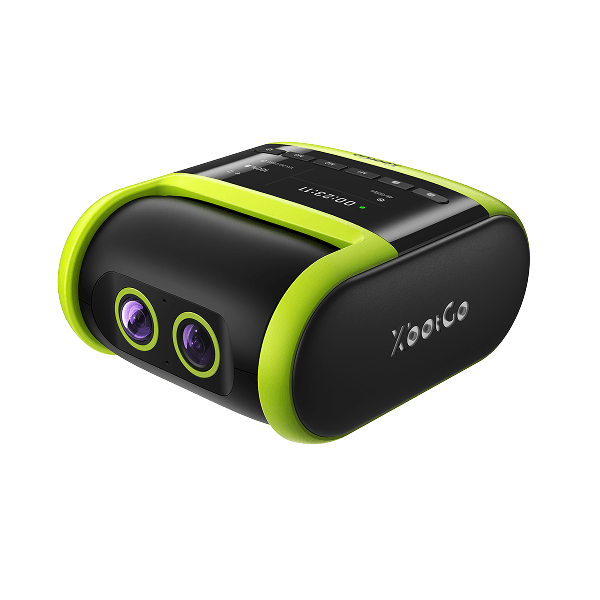
XbotGo Falcon (Baseball Mode): The Falcon is a dual-lens 4K camera built for team sports, and its baseball mode works differently than its soccer/basketball tracking modes — instead of auto-following players, it gives a fixed, full-field view of the diamond with a manual zoom and a built-in scoreboard overlay for innings, outs, and runs. It requires no subscription to record and stream, and pricing has run in the $700-$800 range on XbotGo’s own site and major retailers, with occasional sales lower. For a parent or team filming an entire small-field game with a scoreboard graphic, this is currently the most purpose-built option for baseball specifically.
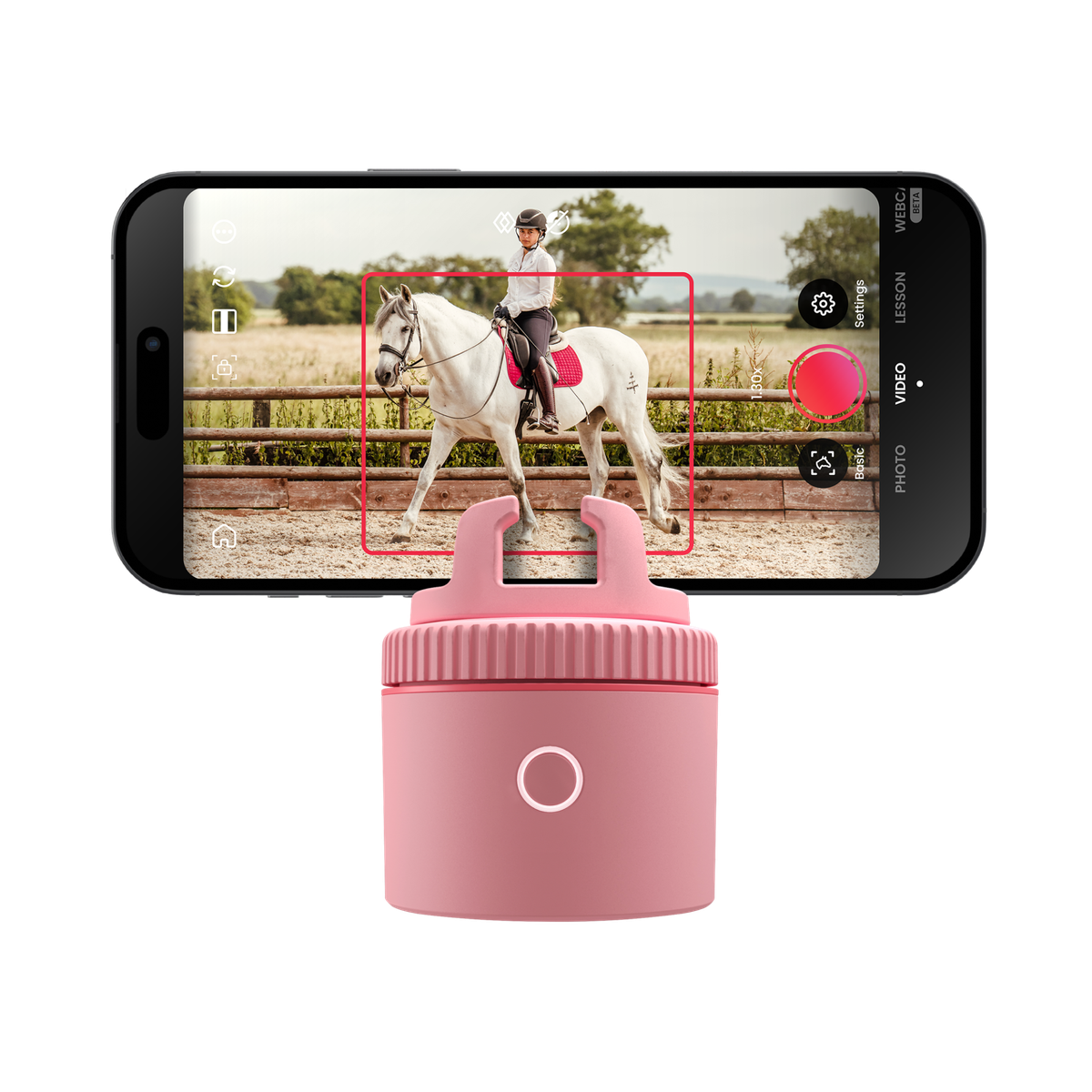
Pivo Pod (Lite / Silver / Max): Pivo makes a small motorized base that clips onto your existing smartphone (or, on the Max, a tablet or action camera) and physically rotates to follow a player using face/body tracking or a manually drawn tracking box. It’s inexpensive relative to dedicated sports cameras — official pricing has run from roughly $110 for the base Classic model up to around $300 for the Pod Max — and it’s genuinely useful on a small field for following one kid through their at-bats, fielding reps, or bullpen sessions, since it doesn’t do whole-field or ball tracking. Battery life on the smaller Pivo models runs a few hours, so plan around a tournament day.
OBSBOT Tail Air: This is a general-purpose AI PTZ streaming camera (not baseball-specific) that uses onboard AI to pan, tilt, and zoom toward a tracked subject, with NDI/RTMP output for anyone who wants to run OBS or stream to YouTube. It launched at $499, and OBSBOT has since introduced a Tail Air 2 as its newer model. It’s a better fit for a parent or team with some streaming know-how than for a simple point-and-record setup, and it isn’t built with a baseball scoreboard or diamond-specific framing.
Veo Cam 3: Veo’s panoramic 4K camera records the whole field and uses software (not a moving lens) to auto-crop highlights and generate a virtual follow-cam after you upload footage. For baseball and softball, Veo specifically markets an AI ball-tracking feature on top of its usual player-following crop, built from the same full-field recording rather than a live-moving lens. It’s the most capable system for full-field coverage and analytics, and clubs use it across many sports, but it’s built around a required ongoing subscription for analytics and storage, and full packages have been priced well above the single-camera options above. It’s a stronger fit for a club or program covering a regular-size field across a season than for one family filming small-field rec games.
Tips and Common Mistakes
Mount height matters more than almost anything else. Get the camera as high as your tripod allows behind home plate — a higher angle sees over the catcher and ump and keeps more of the infield readable, especially on a small field where the whole diamond needs to fit in one frame.
Don’t expect live, pan-and-zoom ball tracking from most of these cameras. The XbotGo Falcon’s baseball mode and Pivo Pods follow a player (or just hold a fixed wide shot) rather than the ball itself, so you’ll be scrubbing footage to find a specific pitch or swing. Veo is the exception on paper — it advertises AI ball tracking for baseball and softball — but that tracked view is generated by software after you upload the full-field recording, not in real time, and Veo itself notes the tracking can briefly lose the ball during fast action, with the full wide recording as the fallback.
Test in real field-light conditions before a tournament, not just in your backyard. Many youth fields run weaker lighting for evening games, and autofocus or low-light noise issues on 4K sensors can surprise you — a few vendors specifically suggest testing footage from a comparable field before relying on a camera for a big game day.
Check backstop/fence rules at your field or league before bolting on a mount — some facilities restrict what can be attached to fencing, and a tripod set up behind the backstop is usually the safer default anyway.
Explore more: More training and performance guides.
AI camera for youth baseball FAQs
Do any of these AI cameras actually track the baseball?
Mostly no, with one exception. The XbotGo Falcon’s baseball mode and Pivo Pods track a player (or hold a fixed wide shot), not the ball. Veo Cam 3 is the exception — it markets an AI ball-tracking feature for baseball and softball — but that tracked view is a software crop generated after you upload the full-field footage, not a live-moving lens, and it can lose the ball briefly during fast plays.
What’s the cheapest way to get decent AI-assisted video on a small field?
A Pivo Pod paired with a smartphone is the lowest-cost route for player-following video, with entry models running roughly $110-$180, well under dedicated sports cameras.
Is a full panoramic system like Veo Cam 3 worth it for a small youth field?
Usually not for a single family or small rec team. It’s built for clubs covering regular-size fields over a season and comes with an ongoing subscription; a fixed wide-angle baseball-mode camera or a tracking pod is a simpler, cheaper fit for small-field games.
Do I need a subscription to record and keep my footage?
It depends on the camera. The XbotGo Falcon’s baseball mode and Pivo Pods work without a required subscription, while Veo’s system is built around an ongoing analytics/storage subscription.
Level Up With SportsSteps
Log training and see progress over time
Pair your gear with a free training log, progress tracking, and an AI coach for your sport.
Start logging freeFor families, athletes, coaches & clubs
Want training tips and sports news in your inbox? Subscribe to the free newsletter.
Images: XbotGo.